
Strain injuries are a common occurrence in today’s sedentary work environments, often stemming from poor ergonomic practices. These injuries can lead to discomfort, pain, and decreased productivity. However, by implementing proper ergonomics in the workplace, individuals can significantly reduce the risk of strain injuries. Here are some practical tips on how to prevent strain injuries with ergonomics.
Understanding Ergonomics
Ergonomics is the science of designing the workplace to fit the worker, rather than forcing the worker to fit the workplace. By creating an ergonomic workspace, individuals can reduce the strain on their bodies and prevent injuries. Ergonomics involves optimizing the design of furniture, equipment, and tools to promote proper posture and movement.
Adjust Your Chair and Desk
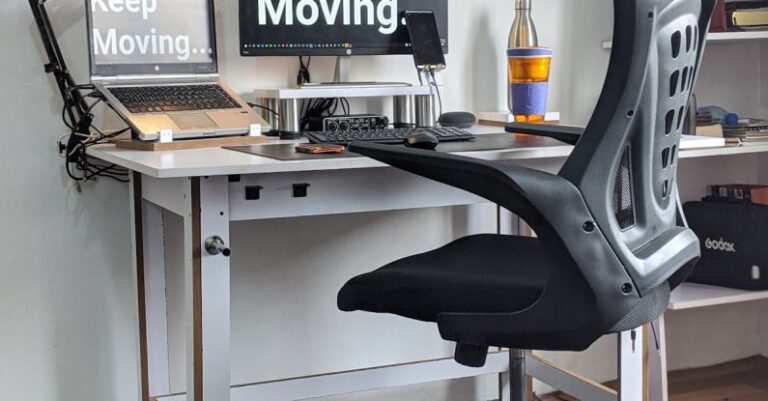
One of the essential aspects of ergonomic workstations is the chair and desk setup. To prevent strain injuries, ensure that your chair is adjusted to the correct height so that your feet rest flat on the floor and your knees are at a 90-degree angle. Your desk should be at a height where your arms can comfortably rest on the surface without straining your shoulders.
Position Your Monitor Properly
Proper monitor placement is crucial for preventing neck and eye strain. Position your monitor directly in front of you at eye level to avoid tilting your head up or down. Keep the screen at arm’s length away to reduce eye strain and adjust the brightness and contrast settings to minimize glare.
Take Breaks and Move Regularly
Sitting in one position for an extended period can lead to muscle stiffness and strain injuries. To prevent this, take regular breaks to stand up, stretch, and move around. Incorporating short breaks throughout the day can help reduce the strain on your muscles and improve circulation.
Use Proper Keyboard and Mouse Techniques
Incorrect keyboard and mouse usage can lead to repetitive strain injuries such as carpal tunnel syndrome. To prevent these injuries, position your keyboard and mouse at elbow height and keep your wrists straight while typing. Use keyboard shortcuts to reduce the strain on your hands and wrists, and consider using ergonomic keyboards and mice to support a more natural hand position.
Support Your Back and Neck
Proper back and neck support is essential for maintaining good posture and preventing strain injuries. Use an ergonomic chair with lumbar support to keep your spine aligned and reduce pressure on your lower back. Consider using a headset or speakerphone for long phone calls to avoid cradling the phone between your neck and shoulder.
Invest in Ergonomic Equipment
If you spend a significant amount of time working at a desk, investing in ergonomic equipment can help prevent strain injuries. Consider purchasing an ergonomic chair, keyboard, mouse, and monitor stand to create a more comfortable and supportive workspace. These tools are designed to promote proper posture and reduce the risk of strain injuries.
Maintain a Healthy Lifestyle
In addition to ergonomic practices, maintaining a healthy lifestyle can also help prevent strain injuries. Engage in regular exercise to strengthen your muscles and improve flexibility. Practice good posture habits both at work and in your daily activities to reduce the strain on your body.
Conclusion: Prioritize Ergonomics for a Healthier Workspace
By implementing ergonomic practices in the workplace, individuals can significantly reduce the risk of strain injuries and promote overall health and well-being. Prioritize ergonomics by adjusting your chair and desk, positioning your monitor properly, taking breaks, using proper keyboard and mouse techniques, supporting your back and neck, investing in ergonomic equipment, and maintaining a healthy lifestyle. By incorporating these tips into your daily routine, you can create a healthier workspace and prevent strain injuries in the long run.