
Creating a Comfortable Workspace: How to Arrange Office Equipment for Maximum Comfort
In the fast-paced world of work, where most of us spend a significant portion of our day at the office, it is essential to ensure that our workspace is designed for maximum comfort and efficiency. One crucial aspect of this is the arrangement of office equipment. By strategically placing your tools and devices, you can significantly enhance your comfort levels and productivity. Let’s delve into some tips on how to arrange office equipment to create a workspace that promotes well-being and optimal performance.
Ergonomic Chair: The Foundation of Comfort
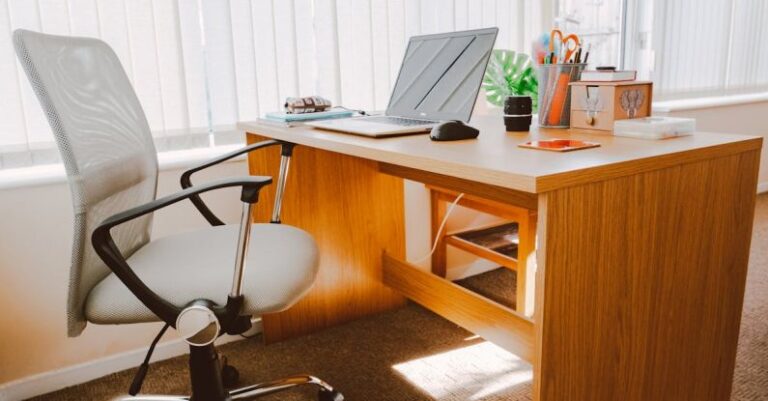
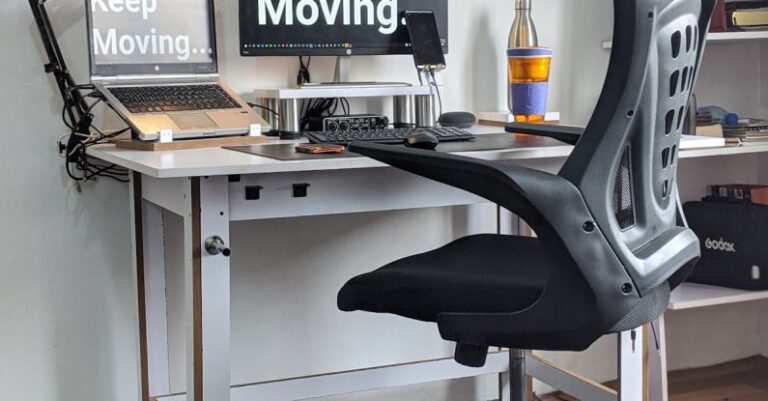
The office chair is arguably the most critical piece of furniture in your workspace. Investing in an ergonomic chair that provides proper support for your back, arms, and legs is essential for maintaining good posture and preventing discomfort. Ensure that your chair is adjustable in height and has adequate lumbar support to minimize strain on your lower back. Position the chair so that your feet can comfortably rest flat on the floor, and your knees are at a 90-degree angle when sitting.
Optimal Desk Setup: A Clear and Organized Workspace
Your desk is where most of your work takes place, so it’s crucial to organize it in a way that promotes efficiency and comfort. Keep your desk clutter-free by only having essential items within reach. Position your computer monitor at eye level to reduce neck strain and glare. Place frequently used items such as pens, notebooks, and a phone within arm’s reach to avoid unnecessary stretching or reaching. Consider using a desk organizer to keep your workspace tidy and organized.
Keyboard and Mouse Placement: Minimizing Strain on Your Wrists
The positioning of your keyboard and mouse can significantly impact your comfort and productivity. Keep your keyboard directly in front of you, with your wrists in a neutral position to reduce strain. Your mouse should be placed next to the keyboard at the same level to avoid awkward reaching movements. Consider using a mouse pad with a wrist rest to provide additional support and prevent wrist fatigue. Remember to take regular breaks to stretch your hands and arms to prevent repetitive strain injuries.
Monitor Placement: Reduce Eye Strain and Neck Discomfort
Proper monitor placement is crucial for reducing eye strain and neck discomfort. Position your monitor directly in front of you at arm’s length, with the top of the screen at or slightly below eye level. This alignment helps to maintain a comfortable viewing angle and reduces the need to tilt your head up or down. Adjust the monitor brightness and contrast settings to minimize glare and ensure that text is easy to read. Consider using an anti-glare screen protector to further reduce eye strain.
Lighting: Creating a Well-Lit and Comfortable Environment
Good lighting is essential for creating a comfortable and productive workspace. Position your desk near a window to take advantage of natural light, which can help reduce eye strain and boost mood and productivity. If natural light is limited, invest in a desk lamp with adjustable brightness levels to provide adequate lighting for your tasks. Avoid placing your desk directly under harsh overhead lighting, as it can cause glare and discomfort.
Take Breaks and Move: Preventing Fatigue and Improving Circulation
No matter how well your office equipment is arranged, it’s essential to take regular breaks and move throughout the day to prevent fatigue and improve circulation. Stand up and stretch every hour, take short walks around the office, or perform simple exercises at your desk to keep your body active and energized. Incorporating movement breaks into your work routine can help reduce muscle tension, improve concentration, and boost overall well-being.
Creating a Comfortable and Productive Workspace
By paying attention to the arrangement of your office equipment, you can create a workspace that promotes comfort, efficiency, and well-being. From investing in ergonomic furniture to organizing your desk and optimizing your computer setup, small adjustments can make a significant difference in your overall comfort and productivity. Remember to prioritize your health and well-being by taking regular breaks, stretching, and moving throughout the day. With a well-arranged workspace, you can enhance your work experience and achieve optimal performance.