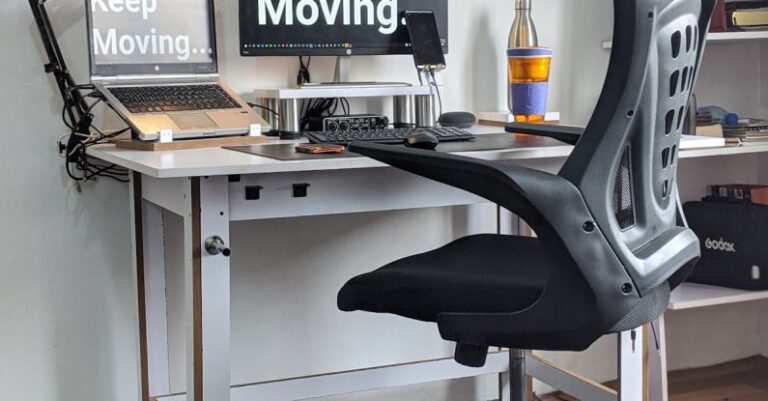

Sitting at our desks for extended periods has become a common part of our daily routine, especially in office environments. However, the sedentary nature of office work can take a toll on our bodies if we do not pay attention to the ergonomics of our workspace. One key element of an ergonomic workstation is the office chair. Ensuring that your office chair is ergonomically correct is crucial for maintaining good posture, reducing the risk of musculoskeletal disorders, and enhancing overall comfort and productivity. Here are some essential tips to help you achieve an ergonomically correct office chair setup.
### Adjusting Seat Height
The first step in setting up your office chair for optimal ergonomics is adjusting the seat height. Your feet should rest flat on the floor, with your knees bent at a 90-degree angle. This position helps in maintaining proper blood circulation and reducing pressure on your lower back. Most office chairs come with a pneumatic adjustment lever that allows you to easily change the seat height to suit your needs.
### Lumbar Support
Proper lumbar support is essential for maintaining the natural curve of your lower back while sitting. Adjust the lumbar support of your office chair to fit the curve of your lower back comfortably. This support helps in preventing slouching and reduces strain on your spine. If your chair does not have built-in lumbar support, consider using a separate lumbar pillow to provide the necessary support.
### Seat Depth and Width
The seat depth and width of your office chair play a significant role in ensuring comfort and proper posture. Ideally, there should be a few inches of space between the edge of the seat and the back of your knees. This allows for even weight distribution and prevents pressure points. Additionally, the seat width should be wide enough to accommodate your hips comfortably without restricting movement.
### Armrest Position
Adjusting the position of your armrests is crucial for preventing shoulder and neck strain. Your arms should be able to rest comfortably on the armrests with your shoulders relaxed. Adjust the height of the armrests so that your elbows are at a 90-degree angle when typing or using the mouse. If your armrests are not adjustable, consider using a chair with removable armrests or adding padding to ensure proper support.
### Reclining and Tilt Mechanism
A reclining and tilt mechanism in your office chair can help reduce pressure on your spine and improve overall comfort. Adjust the recline tension to allow for smooth movement while providing adequate support. When reclining, make sure your back is supported, and avoid slouching to maintain proper posture. Experiment with different recline angles to find the most comfortable position for you.
### Regular Movement and Breaks
No matter how ergonomically correct your office chair is, sitting for prolonged periods is not ideal for your health. Remember to take regular breaks to stand up, stretch, and move around. Set a timer to remind yourself to change positions every hour or so. Simple stretches and short walks can help reduce muscle stiffness and improve circulation, contributing to your overall well-being.
### Conclusion: Embrace Ergonomic Excellence
Investing time and effort in ensuring that your office chair is ergonomically correct is essential for your health and productivity. By following these tips and making proper adjustments to your chair, you can create a comfortable and supportive workspace that promotes good posture and reduces the risk of discomfort and injury. Remember that everyone’s body is different, so don’t hesitate to customize your chair setup to suit your individual needs. Prioritize your health and well-being by embracing ergonomic excellence in your office chair setup.